Saturday, October 25, 2008

Who is this Mystery Man?


I was suprise by a comment of a blogger about my new MP3. It a funny comment and i like it but the thing here is I was surprise when I saw his blog! Its like MR. Imbestigador of channel 7 and XXX of channel 2. This blog exposed a true event that is happening in the area of Las Pinas Purok Dos. Well the thing here is, he has a good blog! Keep it up and more power to your stories!!!
Congratulations Mr. B ^_^

Friday, October 24, 2008

My new MP3 made by Creative

Here is my new MP3 made by creative. Actually my wifey gave it to me. This MP3 player has a capacity of 2gigabyte and it has different features such as Radio, MP3 player, Timer, Equalizer, Super Bass Surround etc and its is so tiny! Its about 1.4 x 2.1 inches in size. Cool right? By the way it doesn't have an AC adaptor instead it has a USB charger that can be plug in the computer or USB port of a dvd player.

Monday, August 4, 2008

Free Download BIOS Update Utility


This utility updates the BIOS to version R1121Q0 to resolve the following issues:
1. Audio may not work properly after installing Microsoft® Windows Vista® Service Pack 1 (SP1)
2. AV mode and special function keys may not work properly
3. Characters are sometimes skipped when typing


Friday, August 1, 2008

YouTube Video Will Not Play Correctly


This issue may be resolved by updating to the latest version of Adobe Flash Player from the Adobe Web site at http://www.adobe.com/.

Tuesday, July 29, 2008

Shippuden Series Addict


I am really addict for this series! See the anime movie link on this site -= engineer=-


Friday, July 18, 2008

Call Center Business

It’s a call center opportunity.

Position : Customer Service Representative
Technical Support Representative

Salary : P12,000 Probationary
P16,000 Regular

Here is the address.

Monday, July 7, 2008

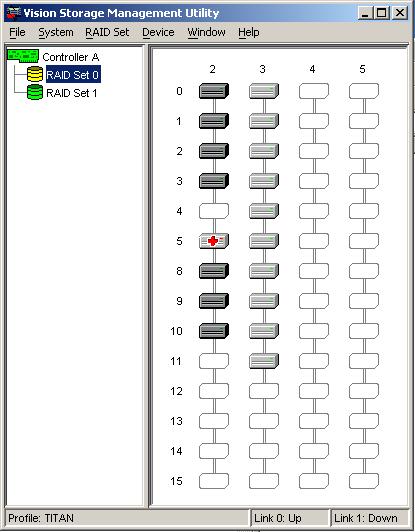
How to Reconfigure RAID?


Reconfigure RAID

Some changes in the RAID configuration cannot be performed after launching the VAIO Recovery Wizard from within the Microsoft Windows XP operating system. To remove an existing RAID array and delete all data from the connected drives, the computer must be restarted with the first disc from the Recovery Media Kit in the CD/DVD drive. Follow this procedure to confirm your selection in the Reconfigure RAID window.

NOTE: If you have not chosen to Create recovery discs, or if you intend to Go to Intel Matrix Storage Console to reconfigure an existing RAID array or create a new RAID volume, these options are also offered in the Reconfigure RAID window. Neither option requires restarting the computer.

1. From within the Recovery Wizard application, in the Reconfigure RAID window, click Restart from disc.
2. The appropriate CD/DVD drive will open.
3. At the Recovery dialog box, ensure Recovery Disc #1 is in the drive.
4. Click the OK button.
5. The computer will restart and the Recovery Wizard main menu will again be displayed.

NOTE: Fewer options are available in the Recovery Wizard when starting the computer from the Recovery Discs.

6. In the VAIO Recovery window, click Reconfigure RAID.

Wednesday, July 2, 2008

How to Perform a System Recovery?


How to perform a system recovery?

NOTE: A recovery can also be performed using Recovery Discs.

1. On the taskbar, click the Start button, point to All Programs, point to Recovery, then click the Recovery icon.

NOTES: If there is no shortcut for the VAIO Recovery Wizard in the program list, start the program from Control Panel.
If the operating system will not start and no other troubleshooting can be performed, a recovery of the (C:) drive can be performed by starting the computer and pressing the F10 key.

2. In the Recovery window, click to select the appropriate option to use the Recovery Wizard:
Reinstall Applications or Drivers
Restore C: Drive
Restore Complete System
Reconfigure RAID

Troubleshooting is to be follow…